
So White Label CMS plugin is great, and its free. However, white label has its own ads! Which you don’t want to show up on the site to be truely “White Label”. Thankfully in the new version of the plugin there is a section to add some admin side CSS code. This allows us to quickly and simply hide the advertisements with ease.
- Goto the White Label CMS options page.
- Navigate to the bottom of Admin Settings section and find the “Custom CSS for Admin as it looks here:
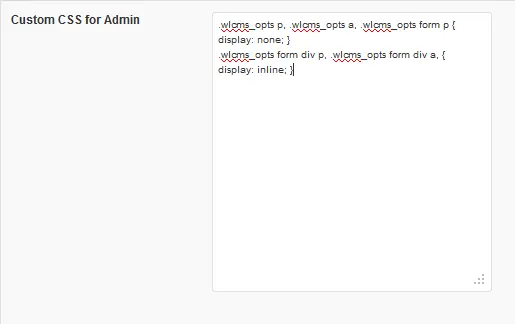
- You will add the css you see in the above box, but let us provide it to you in an easier format
.wlcms_opts p, .wlcms_opts a, .wlcms_opts form p { display: none; } .wlcms_opts form div p, .wlcms_opts form div a, { display: inline; } - Copy and paste the above CSS code into the box and click save.

Viola! You now have ads free White Label CMS plugin that you can update without fear of loosing your ads free environment (so long as they don’t change the layout to mess with us).
